
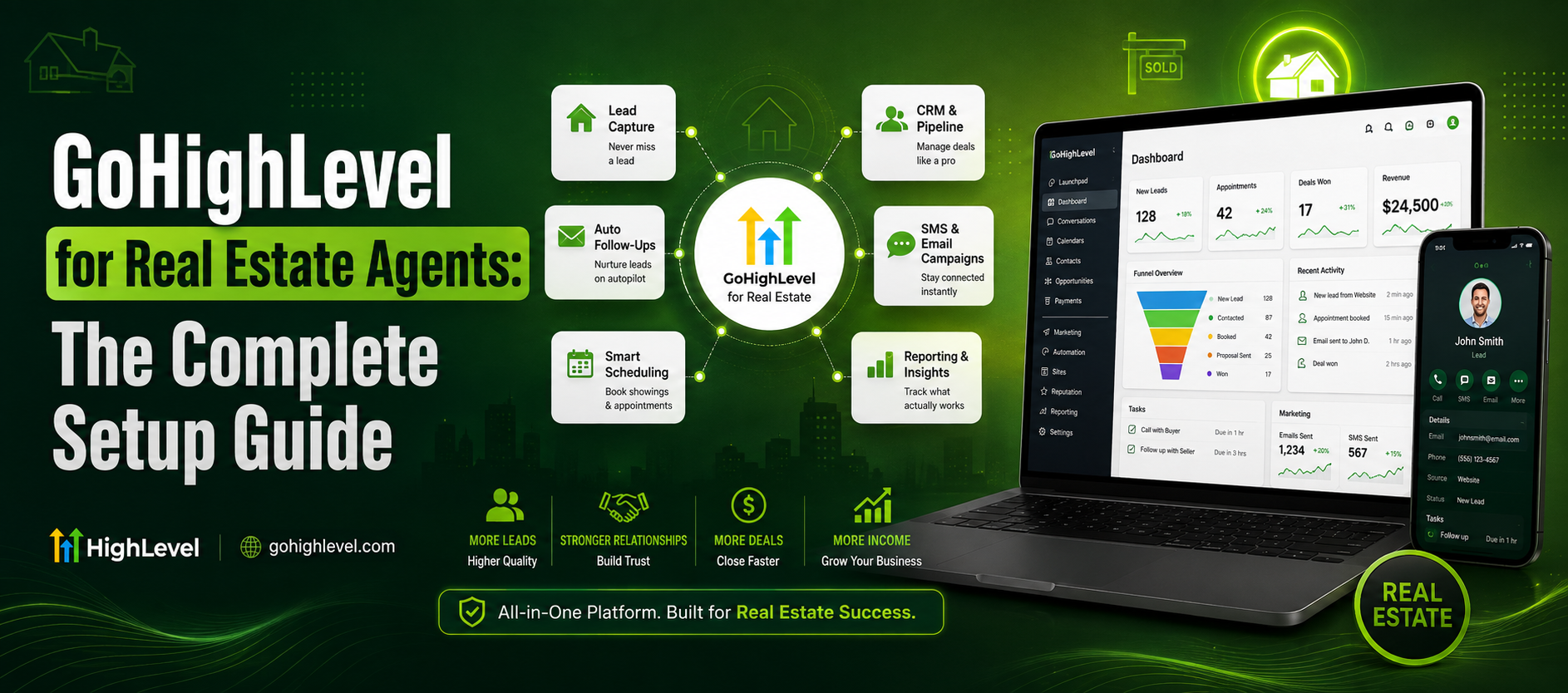
Picture this: a buyer fills out a form on your website at 11:47 PM, and you don’t see it until 9 AM the next day. By then, they’ve already toured a home with someone who called them back in five minutes. That’s not a rare story — it’s the default outcome for most agents, and it’s exactly the gap that a well-configured realtor crm is built to close.
If you’ve been Googling “gohighlevel real estate” hoping to finally get organized, you’re in the right place. This guide walks you through setting up GoHighLevel from scratch as a real, working crm for realtors — pipelines, automations, texting, calendars, and everything in between.
Key Takeaways
- GoHighLevel can replace 5–7 separate real estate tools (CRM, texting, email, calendar, funnels, reviews) with one platform
- Fast lead response is the single biggest lever for conversion — speed beats almost everything else
- Setting up ghl real estate automation correctly takes a few focused hours, not weeks
- Pipelines, smart lists, and pre-built workflows keep leads from ever falling through the cracks
- A2P 10DLC registration is mandatory before you can text leads at scale
- You don’t need to be technical — this guide breaks setup into simple, repeatable steps
Why Real Estate Agents Are Switching to GoHighLevel
Most agents start out with a patchwork of tools a spreadsheet for leads, a separate texting app, Calendly for showings, Mailchimp for newsletters, and a CRM that only half of it talks to. It works until it doesn’t.
GoHighLevel consolidates all of that into a single dashboard built for lead capture, nurturing, and conversion. That matters more than it sounds like it should, because speed and consistency are what actually move the needle in this business.
Here’s the part that should get your attention: MIT research found that responding to a lead within 5 minutes makes an agent roughly 100 times more likely to make contact than waiting 30 minutes, and the same research shows that following up within 60 seconds converts about 55% more leads into appointments compared to a 5-minute response. Meanwhile, CRM adoption on its own is linked to roughly a 29% jump in sales. That’s not a marginal edge that’s the difference between a good year and a mediocre one. Ylopo
This is why gohighlevel real estate setups are becoming the default choice for solo agents, teams, and brokerages who are tired of leads slipping through the cracks.
Step 1 — Set Up Your Account and Sub-Account Structure
Before touching automations, get your foundation right.
Choose the Right Plan
GoHighLevel offers a few pricing tiers. If you’re a solo agent, the Starter plan usually covers your needs. If you run a team or brokerage, the Unlimited or Pro plan gives you more sub-accounts and white-label options. If pricing tiers feel confusing, this breakdown of GoHighLevel pricing walks through what each tier actually includes.
Create Your Sub-Account
Your sub-account is essentially your real estate business inside GHL — this is where your contacts, pipelines, calendars, and automations live. Name it clearly (e.g., “Smith Realty Group”) so nothing gets mixed up if you manage multiple brands or team members later.
Connect Your Domain and Business Info
Add your business name, logo, timezone, and website domain. If you don’t have a dedicated GHL-powered website yet, it’s worth comparing a GoHighLevel website vs a traditional WordPress site before deciding where your funnels will live.
Step 2 — Build Your Real Estate Pipeline
This is the heart of your realtor crm. A pipeline visually maps every stage a lead moves through, from “New Lead” to “Closed Won.”
Suggested Pipeline Stages
- New Lead
- Contacted
- Qualified / Pre-Approved
- Showing Scheduled
- Offer Submitted
- Under Contract
- Closed Won / Closed Lost
You can build separate pipelines for buyers and sellers, since the journeys are genuinely different. A seller pipeline might include stages like “CMA Sent” and “Listing Signed,” while a buyer pipeline focuses on showings and offers.
💡 Pro tip: Keep stage names short and action-oriented. Your team should be able to glance at a card and know exactly what’s supposed to happen next.
Step 3 — Set Up Lead Capture (Forms, Funnels, and Ads)
Once your pipeline exists, you need leads flowing into it automatically.
Website Forms
Embed GHL forms on your IDX website, landing pages, or “Request a Showing” buttons. Every submission should auto-create a contact and drop them into the right pipeline stage instantly.
Landing Pages and Funnels
Build a simple funnel for lead magnets like “Free Home Valuation” or “First-Time Buyer Checklist.” If funnel building feels overwhelming, this funnel design guide breaks the process down step by step.
Facebook and Google Lead Ads Integration
Connect your Meta and Google ad accounts directly to GHL so paid leads land in your CRM the second they submit a form — no manual CSV exports, no delays.
Step 4 — Register for A2P 10DLC (Non-Negotiable)
If you plan to text leads and you should, since texting has significantly higher open rates than email you’re legally required to register for A2P 10DLC before sending SMS through GoHighLevel.
This registration verifies your business with carriers and prevents your texts from being flagged as spam or blocked entirely. It’s a one-time process, but it does require accurate business details. If this step feels intimidating, this A2P 10DLC registration guide covers exactly what’s needed, or you can view A2P setup services if you’d rather have it handled for you.
Step 5 — Build Your GHL Real Estate Automation Workflows
This is where ghl real estate automation actually starts paying off. Automations are the “if this, then that” logic that responds to leads while you’re showing houses, sleeping, or grabbing lunch.
Essential Workflows to Build First
New Lead Instant Response
The moment a lead submits a form, they get an automatic text and email within seconds — something simple like “Hi [Name], thanks for reaching out! I’ll call you shortly, but feel free to reply here with any questions.”
Missed Call Text-Back
If you miss a call, GHL can automatically text the caller so they don’t hang up and dial the next agent on their list.
Showing Reminders
Automated reminders 24 hours and 1 hour before a scheduled showing cut down no-shows significantly.
Long-Term Nurture Sequence
Not every lead is ready today. A drip campaign of market updates, listing alerts, and check-ins over 3–6 months keeps you top of mind. Given the average real estate lead can take anywhere from 6 to 24 months to convert, this sequence is arguably more valuable long-term than your instant-response workflow. Rubixone
Post-Closing Review and Referral Request
Automatically ask happy clients for a Google review and referral a few weeks after closing.
If you want a broader look at how these pieces fit together, this automation workflows guide goes deeper into building multi-step sequences.
Let’s Build Something Powerful Together
Step 6 — Calendars and Showing Scheduling
Ditch the back-and-forth texting to find a showing time. GHL’s calendar feature lets leads book directly based on your real-time availability.
- Create separate calendars for showings, listing consultations, and buyer strategy calls
- Set buffer times between appointments so you’re not sprinting across town
- Sync with Google Calendar so your personal and business schedules never collide
Need help configuring calendars and pipelines together? This calendars and pipelines setup resource walks through best practices for real estate specifically.
Step 7 — Add WhatsApp and Voice AI (Optional but Powerful)
Many international and relocation buyers prefer WhatsApp over SMS. Integrating WhatsApp with GoHighLevel lets you meet leads where they already are.
If you want true 24/7 coverage, an AI voice agent can answer calls after hours, qualify the caller, and book a showing automatically. You can explore AI voice agents built for real estate as an add-on layer to your CRM.
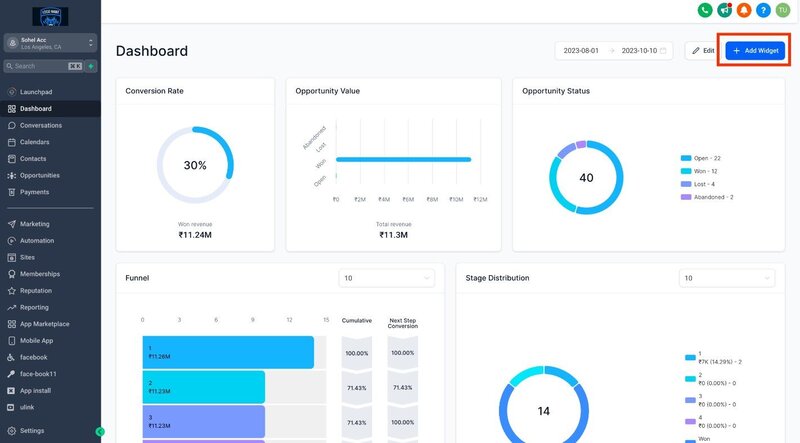
Step 8 — Reporting and Dashboards
A crm for realtors is only useful if you can see what’s working. Set up dashboards to track:
- Response time per lead (aim under 5 minutes)
- Lead source performance (which ads/channels convert best)
- Pipeline conversion rate at each stage
- Appointments booked vs. shown
Given online real estate leads convert at roughly 0.4% to 1.2% on average, even small improvements in response time or follow-up consistency can meaningfully shift your annual closings.
GoHighLevel vs Other Real Estate CRMs
If you’re comparing platforms, it helps to see GHL against alternatives realtors commonly consider. This GoHighLevel vs HubSpot comparison breaks down pricing, features, and which type of agent each platform actually fits best. For a broader honest take, this GoHighLevel review covers pros, cons, and who should (or shouldn’t) use it.
For comparison, GoHighLevel’s official platform page outlines their full feature set if you want to explore the base product directly.
Let’s Build Something Powerful Together
Common Setup Mistakes to Avoid
Skipping A2P registration — your texts simply won’t deliver reliably without it.
Building too many automations at once — start with the 3–4 essential workflows above, then expand.
Ignoring your CRM after setup — a CRM only works if leads consistently flow into it and you (or your automations) act on them.
Not training your team — if you have showing agents or an ISA, make sure they know how to update pipeline stages, or your data becomes unreliable fast.
Frequently Asked Questions
What is GoHighLevel used for in real estate?
It’s used as an all-in-one crm for realtors capturing leads, automating follow-up texts and emails, scheduling showings, and tracking deals through your pipeline.
Is GoHighLevel better than a traditional real estate CRM?
It depends on your needs. GHL combines CRM, texting, funnels, and calendars in one platform, which often reduces cost and complexity compared to stitching together multiple specialized tools.
How much does GoHighLevel cost for real estate agents?
Pricing varies by plan and whether you need white-label or multi-agent features. Check the GoHighLevel pricing breakdown for current tiers.
Do I need to register for A2P 10DLC to use GoHighLevel?
Yes, if you plan to send SMS to leads, which most agents do. It’s a mandatory carrier registration, not optional.
Can GoHighLevel replace my current real estate website?
It can. Many agents rebuild their site directly inside GHL for tighter automation integration — see this GHL website vs WordPress comparison to weigh the trade-offs.
How long does it take to set up GoHighLevel for a real estate business?
Final Thoughts
Getting gohighlevel real estate systems set up correctly isn’t about chasing another shiny tool — it’s about making sure no lead ever waits 15 hours for a reply again. A properly configured realtor crm means faster responses, more consistent follow-up, and a pipeline you can actually trust to show you where every deal stands.
Start with the essentials: pipeline, A2P registration, and your first three automations. Everything else can be layered in over time.
If you’d rather have this built for you end-to-end, reach out to our team and we’ll get your crm for realtors live and converting within days, not weeks.