
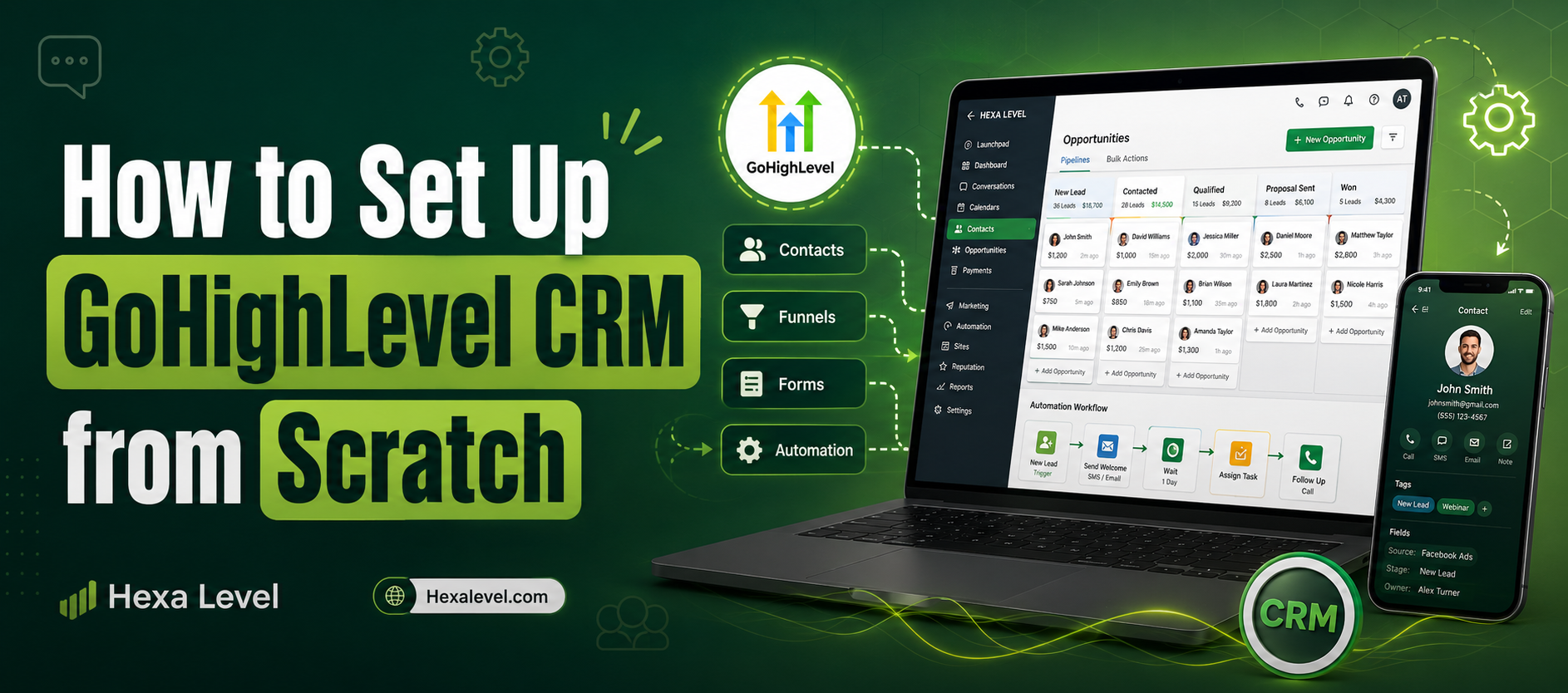
Imagine logging into a single dashboard and seeing all your leads, follow-up sequences, appointment calendars, sales pipelines, funnels, and automated SMS campaigns — all in one place, all talking to each other. No more juggling six different subscriptions. No more leads slipping through the cracks at 2 AM because no one was there to respond.
That’s the promise of GoHighLevel. And the good news? It actually delivers.
But here’s the thing most beginners don’t hear: GoHighLevel is powerful enough to feel overwhelming on day one. The dashboard is dense. The features are endless. And if you don’t follow a structured setup process, you’ll spend hours clicking around and end up right back where you started — confused, frustrated, and watching your free trial tick down.
This guide changes that. Whether you’re a coach, consultant, agency owner, or local business, this complete gohighlevel crm setup walkthrough will take you from a blank account to a fully functional CRM in one focused session. No fluff. No filler. Just the steps that actually matter.
Key Takeaways
- GoHighLevel replaces tools like Mailchimp, Calendly, ClickFunnels, HubSpot, and Twilio in a single platform
- You can complete a basic gohighlevel crm setup in under 3–4 hours
- The most important first steps are account structure, sub-account setup, and integrations
- Automation workflows and pipelines are what unlock GHL’s real ROI
- You don’t need a developer or any technical background to get started
- Agencies can white-label GHL and resell it as their own SaaS product
- This ghl beginner guide covers everything from login to your first live automation
What Is GoHighLevel and Why Should You Care
GoHighLevel (often called GHL) is an all-in-one CRM and marketing automation platform built specifically for marketing agencies and the businesses they serve. Founded in 2018, it has grown to over 60,000 agencies and manages millions of contacts worldwide.
Unlike traditional CRMs that focus only on contact management, GoHighLevel bundles together:
- CRM and pipeline management
- Email and SMS marketing
- Funnel and website builder
- Appointment scheduling
- Reputation management
- Automation workflows
- White-label SaaS capabilities
- AI conversation tools
According to data from GoHighLevel’s own platform reports, agencies using GHL report saving an average of $1,400/month in software costs by consolidating tools. That’s not a small number.
If you’ve been looking at platforms like HubSpot, ActiveCampaign, or ClickFunnels — check out this comparison: GoHighLevel vs HubSpot to see how they stack up side by side.
Step 1 — Starting Your GoHighLevel Account
Before anything else, you need an active GoHighLevel account. GHL offers a 14-day free trial (no credit card required for some entry plans).
Here’s how to get started:
- Go to GoHighLevel’s official site and click “Start Free Trial”
- Choose your plan the Starter Plan ($97/month) is fine for solo users; the Agency Unlimited Plan ($297/month) is better if you manage multiple clients
- Fill in your agency name, email, and basic details
- You’ll land on the Agency Dashboard this is your command center
💡 Pro Tip: Use your business name as the agency name. This matters especially if you plan to white-label the platform for clients later.
Step 2 — Understanding the Agency Dashboard vs Sub-Accounts
This is where most beginners get confused, so pay attention here.
GoHighLevel has two levels:
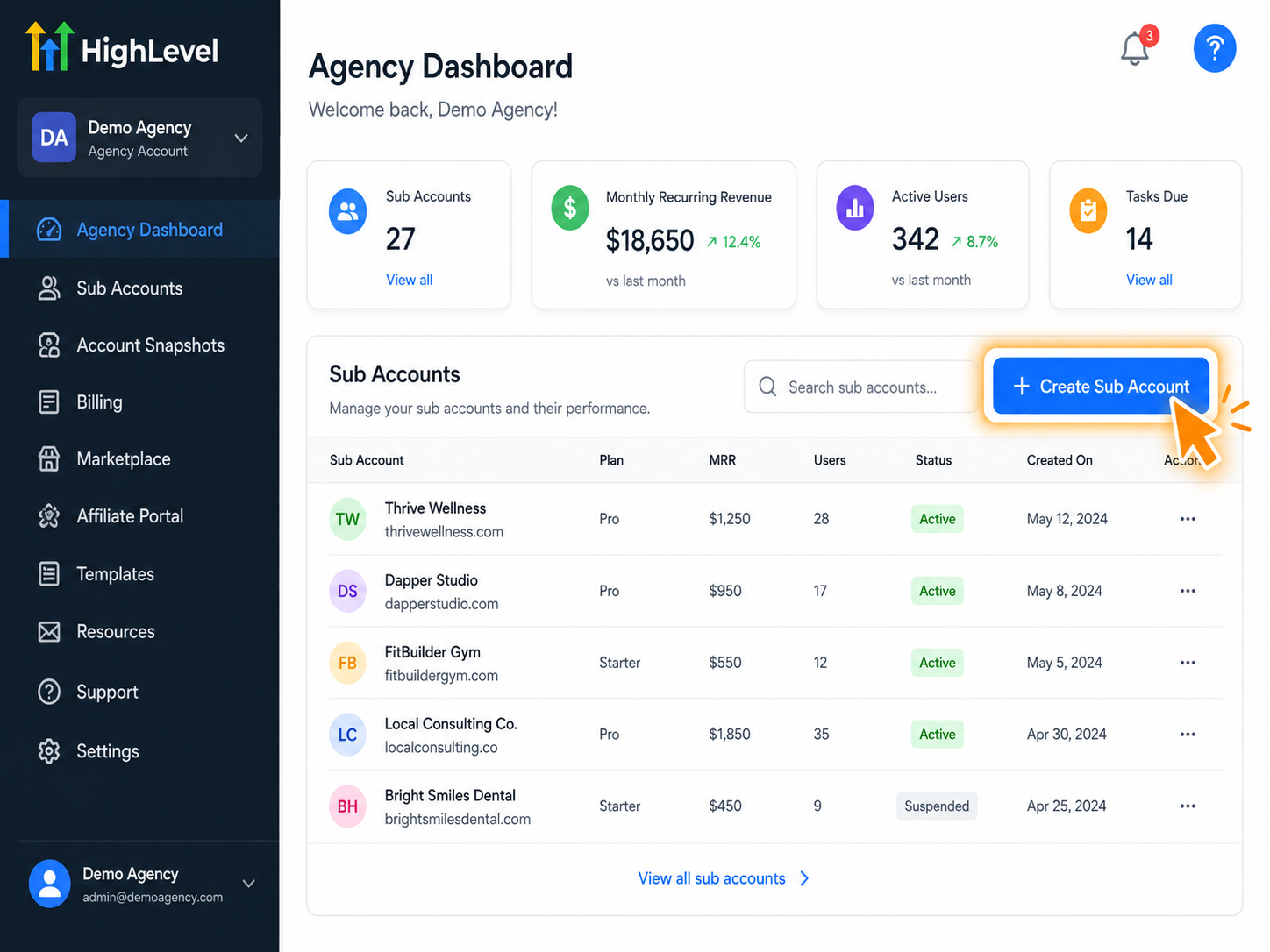
Agency Level — This is your master account. You manage billing, white-labeling, users, and all your sub-accounts from here. Think of it as the control room.
Sub-Account Level — Each client (or your own business) gets their own sub-account. This is where CRM contacts, pipelines, automations, and funnels actually live.
When you first log in, you’re at the Agency level. To actually do work (build funnels, add contacts, set up automations), you need to be inside a sub-account.
To create your first sub-account:
- From the Agency Dashboard, click “Sub Accounts” in the left sidebar
- Click “Create Sub Account”
- Fill in business name, address, phone number, and timezone
- Select the snapshot you want to apply (pre-built templates more on this later)
- Click Save
That’s it. You now have a working environment to build inside.
Step 3 — The Complete GHL Beginner Guide to Settings and Integrations
Before you add a single contact or build a single funnel, you need to configure your settings properly. Skipping this step causes problems later — especially with email deliverability and SMS sending.
3.1 Business Profile Settings
Inside your sub-account, go to Settings → Business Profile and fill in:
- Business name and logo
- Time zone (critical for automation timing)
- Business address
- Industry type
3.2 Connect Your Phone Number (For SMS and Calls)
GHL uses Twilio in the background, but you don’t need a Twilio account. GHL manages it for you.
Go to Settings → Phone Numbers → Add Number
Choose a local or toll-free number. This number will be used for all your SMS campaigns, missed-call text-back automations, and AI voice features.
If you’re sending SMS at scale, you’ll also need A2P 10DLC registration (required for all US business SMS). This is a compliance registration with US carriers. Learn how to handle it properly here: A2P 10DLC Registration Guide
3.3 Connect Your Email (SMTP or Mailgun)
For email sending, go to Settings → Email Services
You can use:
- LC Email (GHL’s built-in solution — easiest for beginners)
- Mailgun (better deliverability for high volume)
- Custom SMTP (if you have your own email server)
For most beginners, LC Email is perfectly fine to start.
3.4 Connect Your Calendar
Go to Settings → Integrations → Google/Outlook Calendar
Connect your Google Calendar so that GHL’s booking system syncs availability in real time. This is essential if you’re using GHL for appointment booking — which you should be.
Step 4 — How to Use GHL to Build Your CRM Pipeline
Now the fun starts. This is where the gohighlevel crm setup really comes alive — the pipeline.
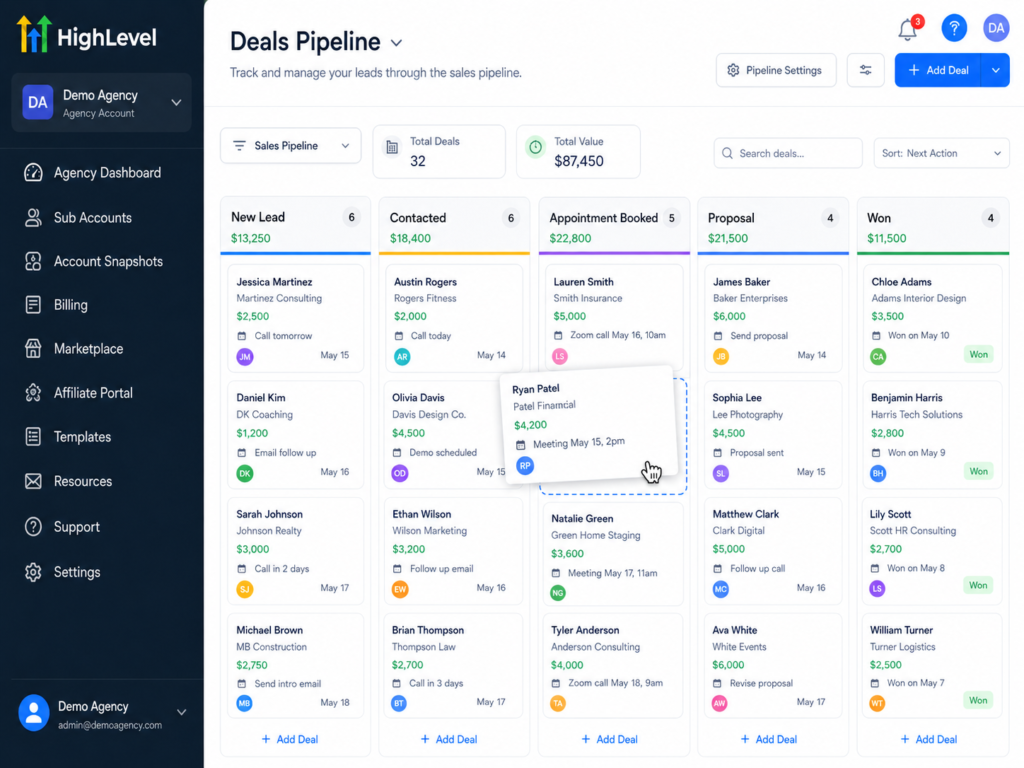
A pipeline in GHL represents your sales process. Think of it as a visual board where each column is a stage (Lead → Contacted → Proposal Sent → Closed Won / Lost).
To create your first pipeline:
- Go to CRM → Pipelines
- Click “Add Pipeline”
- Name it (e.g., “New Leads Pipeline”)
- Add stages: New Lead → Contacted → Appointment Booked → Proposal → Won / Lost
- Click Save
Once your pipeline is live, you can drag and drop contacts between stages, set automation triggers on stage changes, and get a bird’s-eye view of your revenue at every stage.
🎯 Real-world example: An HVAC company uses a GHL pipeline with stages: New Lead → Estimate Scheduled → Quote Sent → Job Booked → Completed → Review Requested. Every stage triggers an automatic follow-up sequence. Their close rate went from 22% to 38% in 90 days just by implementing this one structure.
Step 5 — Adding Contacts and Importing Your Database
You can add contacts to GHL in three ways:
Manual Entry: Go to Contacts → Add Contact → Fill in details
CSV Import: Go to Contacts → Import → Upload your CSV file. GHL will walk you through mapping columns. You can import name, email, phone, tags, custom fields, and more.
Automation/Form Capture: When someone fills out a GHL form or funnel opt-in, they’re automatically added as a contact. This is the most scalable method.
💡 Tagging contacts properly from day one is critical. Tags allow you to segment your list and trigger specific automations. For example, tag contacts as “New Lead,” “Past Client,” “Hot Prospect” and build different automations for each.
Step 6 — Your First Automation Workflow (The Magic of GHL)
This is the step that separates GHL users who get results from those who don’t. Automation is where the platform earns back its subscription cost every single month.
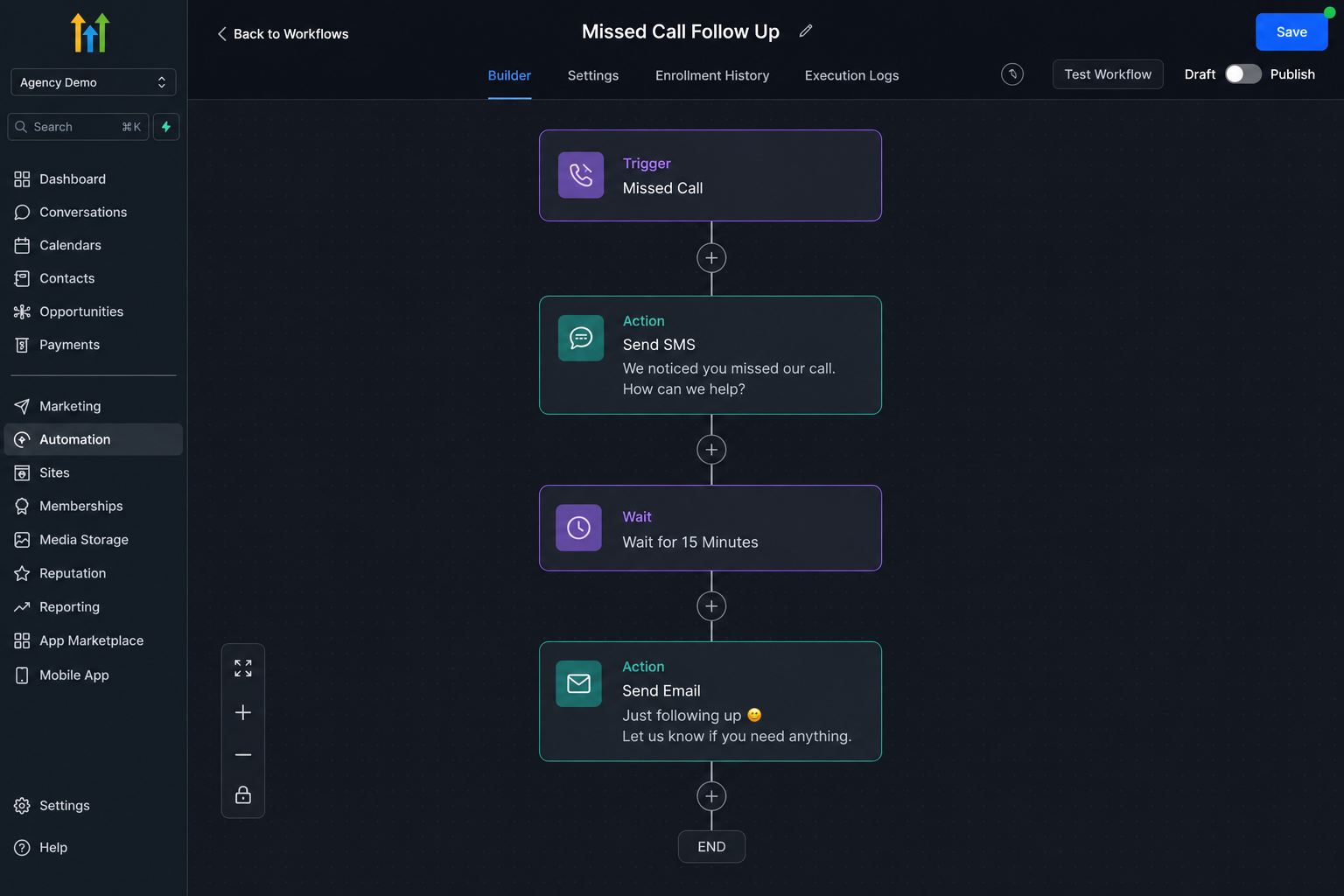
Here’s a simple but powerful automation to start with — the Missed Call Text-Back:
- Go to Automation → Workflows → Create Workflow
- Select “Start from Scratch”
- Add Trigger: “Missed Call”
- Add Action: “Send SMS” → Message: “Hey [First Name]! Sorry we missed your call. We’re with a client right now — can I ask what you’re looking for? We’ll get back to you ASAP!”
- Add a 2-minute wait
- Add Action: “Send Email” as a backup
- Publish the workflow
That’s it. You now have a 24/7 automated follow-up that responds to every missed call — even at 3 AM on a Sunday. According to Salesforce research, leads that are contacted within 5 minutes are 100x more likely to convert. Automation like this makes that possible at zero marginal cost.
Let’s Build Something Powerful Together
Step 7 — Building Your First Funnel or Website in GHL
GoHighLevel has a built-in drag-and-drop funnel and website builder. It’s not as powerful as dedicated page builders, but it’s more than capable for most business needs.
To build a funnel:
- Go to Sites → Funnels → New Funnel
- Choose a template or start from scratch
- Build your pages: Landing Page → Thank You Page (minimum)
- Add your opt-in form and connect it to your pipeline/automation
- Publish
For a deeper dive on funnels, check out: GoHighLevel Funnels Setup Guide for Coaches and Consultants
And if you’re debating between GHL’s built-in site builder vs WordPress: GoHighLevel Website vs WordPress
Need a professionally designed GHL website or funnel? Our team builds them: GHL Website Design Services
Step 8 — Setting Up Calendars and Appointment Booking
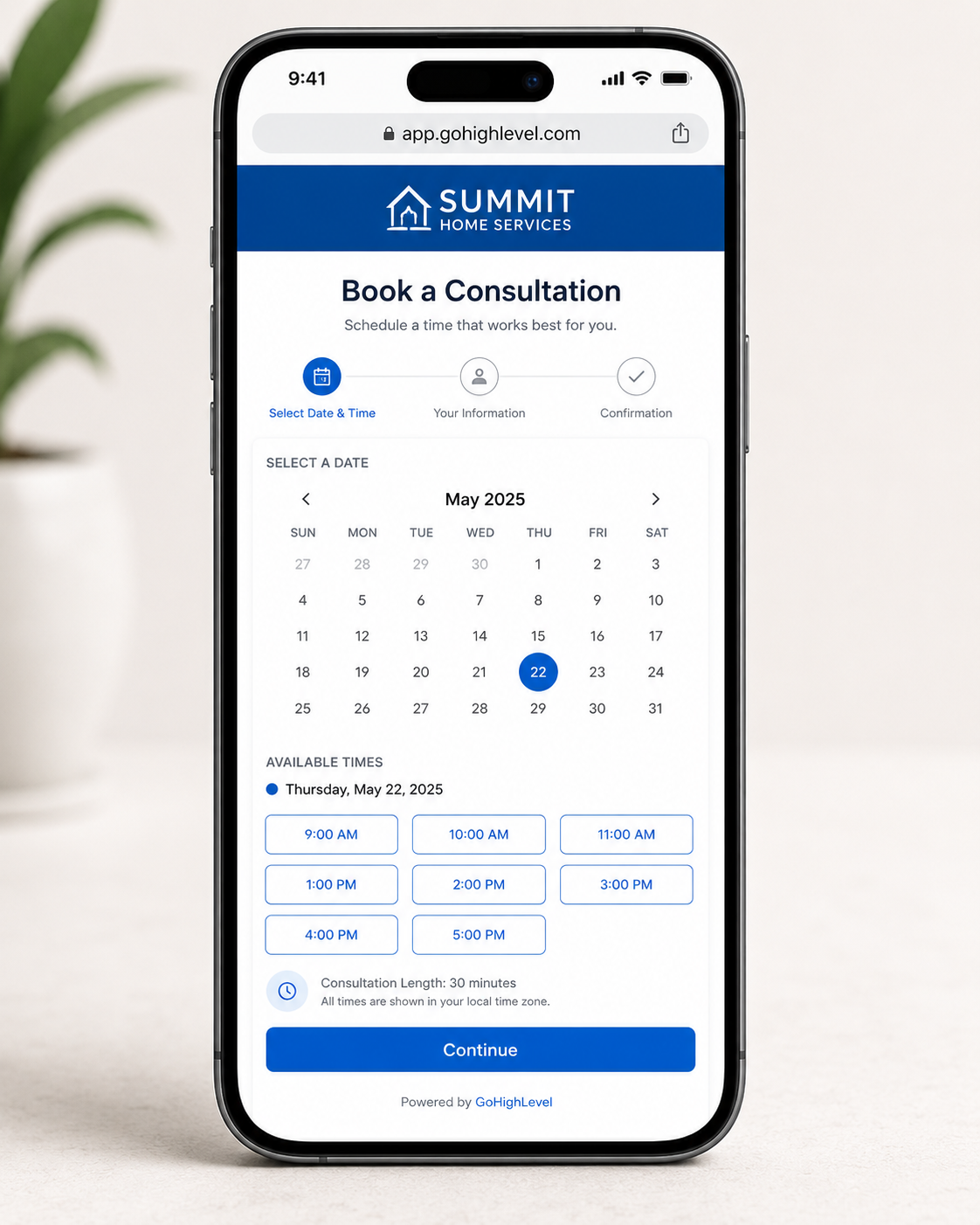
GHL’s calendar system is one of its most underrated features. You can replace Calendly entirely with this.
To set up a booking calendar:
- Go to Calendars → Create Calendar
- Choose calendar type: Round Robin, Event, Service, or Personal
- Set your availability (days, hours, buffer time)
- Connect your Google Calendar for real-time sync
- Add confirmation and reminder automations (email + SMS)
- Copy the booking link and embed it on your funnel/website
You can also set up group calendars, team round-robin scheduling, and paid appointment booking — all inside GHL. See our full setup guide: Calendars and Pipelines Setup
Step 9 — Snapshots, White-Labeling, and Scaling
If you’re an agency, this is where GHL becomes a genuine business asset rather than just a tool.
Snapshots are pre-built configurations you can copy from one sub-account to another in seconds. Build a perfect setup for a dental practice once, save it as a snapshot, and deploy it to 20 new dental clients instantly.
White-Labeling lets you rebrand the entire GHL platform with your own logo, domain, and colors. Your clients log in to your CRM platform — they never see “GoHighLevel.”
This is essentially how you build a SaaS business on top of GHL. Charge clients $297/month for your branded CRM, pay GHL $297/month for unlimited sub-accounts, and keep the margin from every client above your cost. Our CRM SaaS Setup service helps agencies build this out end-to-end.
GHL Tutorial — Common Mistakes Beginners Make (And How to Avoid Them)
Even with a great guide, some mistakes are almost universal. Here’s what to watch out for:
❌ Skipping A2P 10DLC Registration If you’re sending SMS in the US without this registration, your messages will get filtered or blocked entirely. Get registered before launching any SMS campaign.
❌ Building automations before testing triggers Always test your triggers with a test contact before going live. One misconfigured trigger can spam your entire contact list.
❌ Not setting up email warm-up New sending domains need warm-up time. Start with low-volume sends and gradually increase.
❌ Ignoring the Conversations inbox The unified inbox in GHL (email, SMS, Facebook, Instagram, GMB — all in one thread) is one of its most powerful features. Most beginners ignore it and miss follow-up opportunities.
❌ Using GHL’s default subdomain Always connect a custom domain to your funnels and websites. It looks more professional and improves SEO.
FAQ — GoHighLevel CRM Setup for Beginners
How long does a complete gohighlevel crm setup take for a beginner?
Do I need technical skills to use GoHighLevel?
What's the difference between the Starter and Agency Unlimited plans?
Can I replace my current CRM with GoHighLevel?
Yes, and many businesses do. GHL can replace HubSpot, ActiveCampaign, Keap, Calendly, ClickFunnels, Mailchimp, and others. Before migrating, check our Business Migration Services to make the transition clean.
How does GoHighLevel handle email deliverability?
Is GoHighLevel good for local businesses (not just agencies)?
Conclusion
GoHighLevel is not just another CRM. It’s a complete operating system for modern businesses and agencies one that can genuinely replace a stack of 6–10 tools while delivering better results through automation and centralization.
Yes, the learning curve is real. But with the right roadmap, you can go from a blank account to a fully functioning, automated CRM in a single focused day. The key is following a structured process: start with your account and sub-account setup, configure your integrations before building anything, create your pipeline, add your first contacts, and then build your first automation.
That first automation whether it’s a missed-call text-back, a lead nurture sequence, or an appointment reminder is the moment GHL stops feeling like software and starts feeling like a team member that never sleeps.
If you want to fast-track your setup, skip the frustration, and get a professionally configured GHL account built for your specific industry and goals our team is ready.