If your agency is still manually following up with leads, sending appointment reminders by hand, or copy-pasting the same onboarding emails over and over you’re leaving money and hours on the table every single week. 😩
The good news? GoHighLevel was practically built to fix this exact problem. With the right gohighlevel automation workflows, you can turn hours of repetitive admin work into a few clicks that run entirely in the background while you focus on strategy, client results, and growth.
In this guide, we’re breaking down 10 workflows every agency should have running inside their GHL account, complete with ghl workflow examples, real ghl triggers actions, and practical setup tips you can implement today.
Key Takeaways
- consistently see faster lead response times and higher close rates.
- The best workflows combine the right trigger (like a form submission or missed call) with the right action (like an SMS, email, or pipeline update).
- You don’t need to build everything from scratch — proven ghl workflow examples can be adapted to almost any niche.
- Small automations (like review requests or appointment reminders) often deliver the fastest ROI.
- Done right, automation frees up 5–10+ hours a week per client account.
What Makes a Great GoHighLevel Workflow
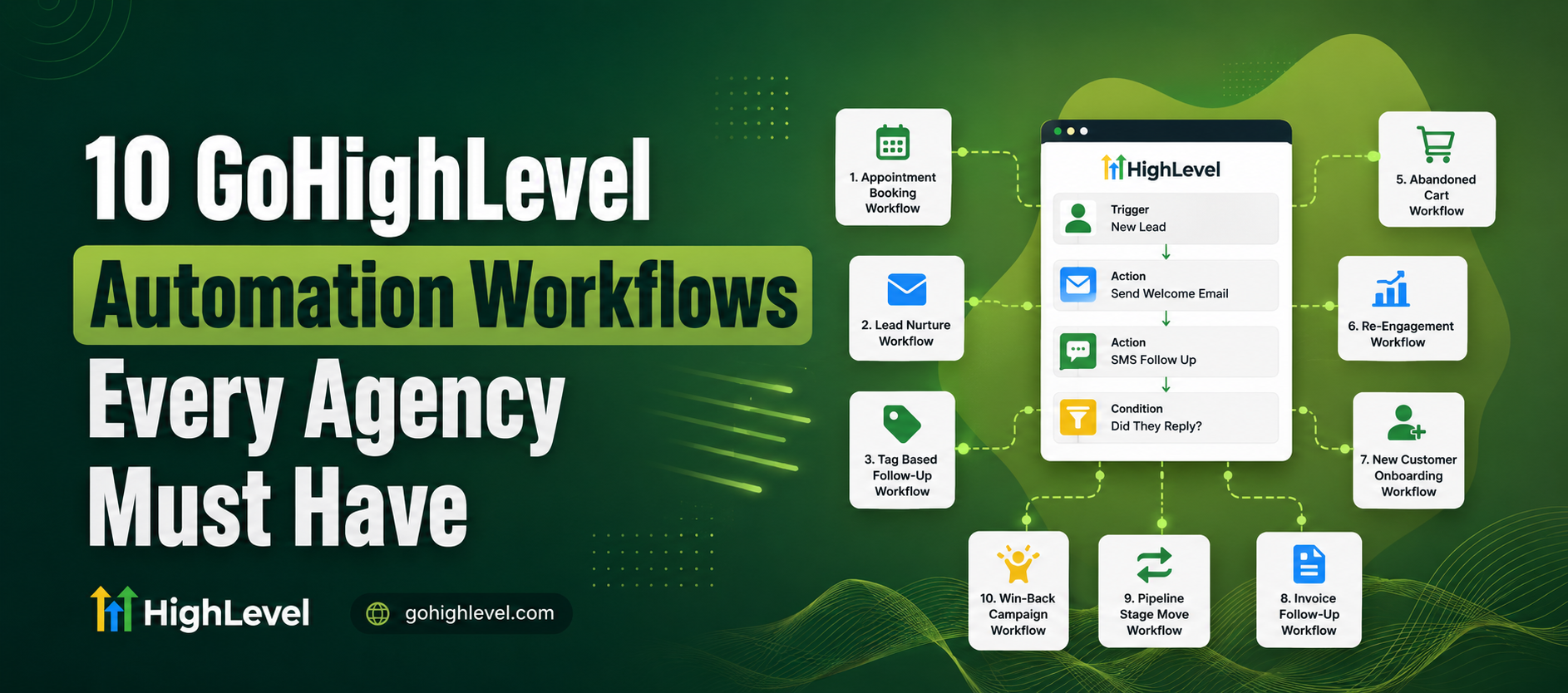
Before we dive into the list, let’s quickly cover the anatomy of a workflow in GHL:
- Trigger – the event that starts the automation (a form fill, tag added, missed call, etc.)
- Action – what happens next (send SMS, send email, notify a team member, move a pipeline stage)
- Conditions/Logic – if/else branches that personalize the journey
- Wait steps – delays between actions so automation feels natural, not spammy
Understanding this trigger → action relationship is the foundation of every solid ghl triggers actions setup. Once you get comfortable with it, building new workflows becomes almost intuitive.
If you’d rather have this done for you professionally, our team at Hexalevel’s GHL automation services builds and manages custom workflows for agencies every day.
1. New Lead Instant Response Workflow
Speed matters. Studies on lead response time consistently show that contacting a lead within the first 5 minutes dramatically increases conversion odds compared to waiting even 30 minutes.
Trigger: Form submission or new contact created
Actions:
- Instant SMS: “Thanks for reaching out! We’ll call you shortly 🙌”
- Auto-email with next steps
- Task assigned to sales rep
- Lead added to CRM pipeline
This is one of the most valuable ghl workflow examples for any agency, because it directly impacts close rate.
2. Missed Call Text-Back
When a call comes in and no one picks up, most businesses lose that lead forever. This workflow flips that.
Trigger: Missed call
Action: Automatic SMS sent within seconds “Sorry we missed you! How can we help?”
Simple, but incredibly effective. It’s one of the easiest ghl automations to set up and one of the fastest to show ROI.
3. Appointment Reminder Sequence
No-shows kill revenue. This workflow reduces them dramatically.
Trigger: Appointment booked on calendar
Actions:
- Confirmation SMS/email immediately
- Reminder 24 hours before
- Reminder 1 hour before
- Optional “reschedule” link if they don’t confirm
4. Review Request Automation
Reputation is everything for local businesses. Don’t leave reviews to chance.
Trigger: Job/service marked complete or tag added
Actions:
- Wait 1 day
- Send SMS/email requesting a Google review
- If no response after 3 days, send a gentle follow-up
5. Lead Nurture Drip Campaign
Not every lead is ready to buy today — this workflow keeps you top of mind.
Trigger: Tag “Not Ready Yet” or pipeline stage change
Actions:
- Educational email every 3–5 days
- SMS check-in after 2 weeks
- Move to “Hot Lead” pipeline if they engage (click, reply, or book a call)
6. Client Onboarding Workflow
This is where agencies save the most internal hours.
Trigger: Deal marked “Won” or contract signed
Actions:
- Welcome email with next steps
- Auto-create onboarding tasks for your team
- Send intake form
- Add client to onboarding pipeline
7. Abandoned Form / Cart Recovery
Someone started filling out your form or checkout but didn’t finish? Don’t let that lead go cold.
Trigger: Partial form fill or abandoned checkout
Actions:
- SMS/email within 30 minutes: “Looks like you didn’t finish — need help?”
- Follow-up offer or incentive after 24 hours
8. Birthday / Anniversary Automation 🎉
A small touch that builds long-term loyalty and repeat business.
Trigger: Contact’s birthday field matches today’s date
Actions:
- Personalized SMS/email with a discount or greeting
- Optional internal notification for account managers
9. Internal Task & Notification Workflow
Automation isn’t only for clients — your team benefits too.
Trigger: New high-value lead, negative review, or support request
Actions:
- Slack/email notification to the right team member
- Task auto-created with deadline
- Escalation if not completed within X hours
10. Re-Engagement Campaign for Cold Leads
Old leads aren’t dead leads — they’re just dormant.
Trigger: No activity for 60–90 days
Actions:
- “We miss you” email or SMS
- Special offer or content piece
- Move to active nurture if they respond
Why These GoHighLevel Automation Workflows Matter for Agencies
Agencies managing multiple client accounts simply can’t afford to do everything manually. The right gohighlevel automation workflows don’t just save time they create consistency across every client account, which is exactly what keeps retainers renewing month after month.
For a deeper technical breakdown, GoHighLevel’s official workflow documentation is a great place to explore additional trigger and action combinations beyond what’s listed here.
Ready to Automate Your Agency?
If you’d rather not build these workflows from scratch, our team specializes in exactly this. Check out Hexalevel’s CRM & SaaS setup services or explore our dedicated calendars & pipelines solutions to get a fully automated system built for your agency.
How to Start Building Your Own GHL Workflows
- Pick one pain point — don’t try to automate everything at once.
- Map the trigger and action on paper first.
- Build it inside GHL’s workflow builder using drag-and-drop steps.
- Test with a dummy contact before going live.
- Monitor and refine based on real results.
Starting small and expanding is far more sustainable than trying to build 10 workflows in one afternoon.
Let’s Build Something Powerful Together
Frequently Asked Questions
What is a GoHighLevel workflow?
How many workflows should an agency have?
Are GHL automation workflows difficult to build?
What's the difference between a trigger and an action in GHL?
Can I use multiple triggers in one workflow?
What's the best workflow to start with?
Conclusion
At the end of the day, gohighlevel automation workflows aren’t just a nice-to-have they’re what separates agencies that scale smoothly from ones that burn out trying to manually manage every lead and client touchpoint. Starting with even 2–3 of the workflows above can free up hours every week, while building toward all 10 sets your agency up for consistent, scalable growth.
Whether you build these yourself or bring in experts to handle it, the important thing is starting now automation compounds over time, and every week without it is time (and revenue) you won’t get back.