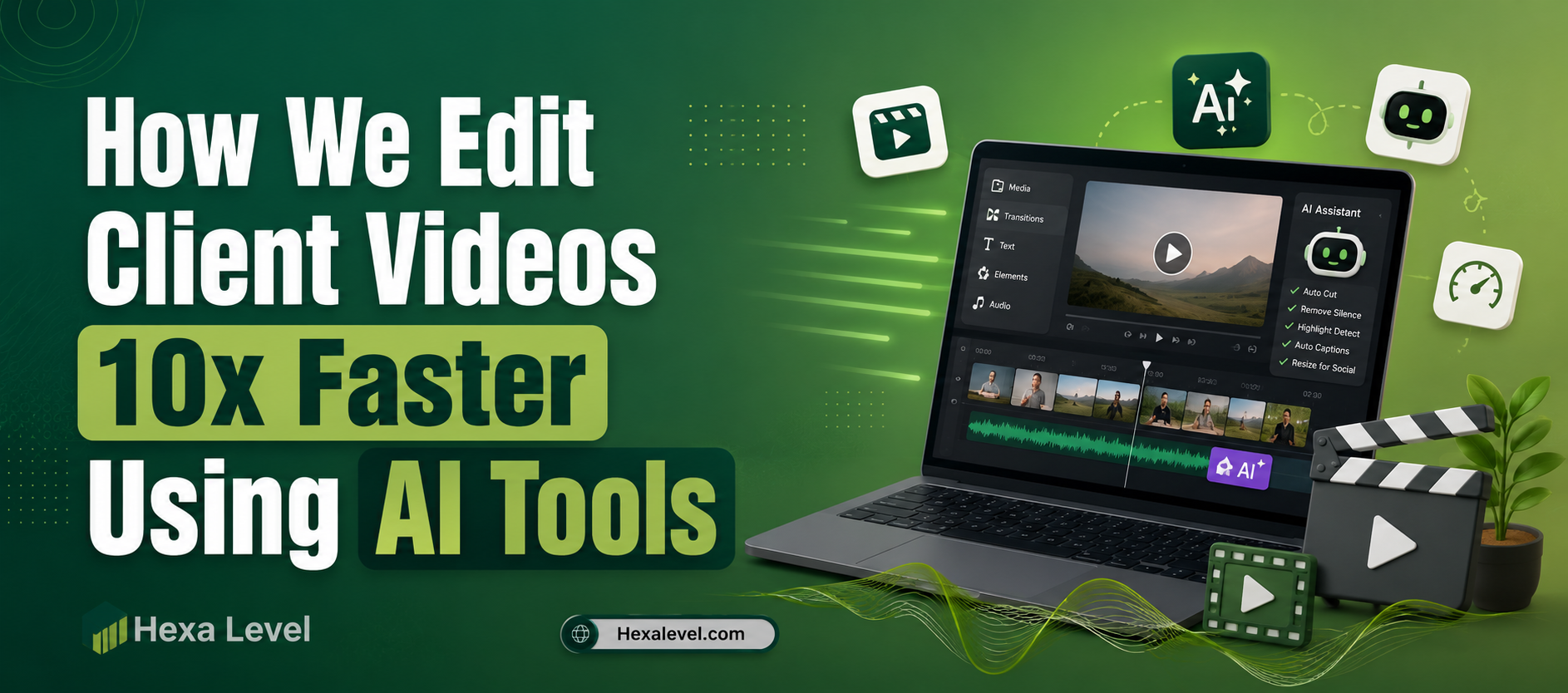
Let me be honest with you two years ago, editing a single 10-minute client video used to take our team nearly 8 to 12 hours.
Today? We wrap the same project in under 2 hours. No shortcuts on quality. No cutting corners. Just smarter tools.
The secret? We went all-in on video editing with AI and it completely transformed how we deliver results for our clients. Whether it’s a short-form ad for Meta, a documentary-style brand film, or a promotional business video, AI handles the repetitive, time-sucking parts so our editors can focus on storytelling.
If you’re a freelance video editor, agency owner, or content creator who’s tired of staying up until 2 AM to meet deadlines, this article is your roadmap. We’re pulling back the curtain on every tool, every workflow hack, and every trick that helped us go from overwhelmed to operating at 10x speed AI tools for video editors .
Key Takeaways
- AI tools have reduced our video editing time by up to 90% on client projects
- Several powerful ai tools for video editing free tiers exist — you don’t need a big budget to start
- The best results come from combining multiple AI tools into a unified workflow
- Learning how to edit videos faster is less about working harder and more about automating smarter
- AI handles transcription, color grading, noise removal, and even B-roll sourcing automatically
- Human creativity still leads AI just clears the path
Why Traditional Video Editing Is Broken
Here’s the painful truth most editors won’t admit: the majority of editing time is spent on tasks that require zero creativity.
Think about it. How much of your week goes toward:
- Syncing audio and video?
- Cutting out silences and filler words like “um” and “uh”?
- Color correcting footage to match across clips?
- Hunting for the right B-roll shot?
- Writing and timing captions?
- Exporting files in 5 different formats for different platforms?
These tasks are mechanical. They don’t require a trained eye or creative instinct. But they eat hours hours you could spend on actual creative work or landing new clients.
This is exactly where video editing with AI becomes a game-changer. The tools available in 2026 can handle all of the above automatically, often in minutes.
Stat to know: According to a 2025 survey by Wistia, video editors who adopted AI-assisted tools reported saving an average of 6.4 hours per project. For agencies handling 10+ projects per month, that’s 64+ hours recovered — nearly two full work weeks.
Our Actual AI Video Editing Workflow (Step by Step)
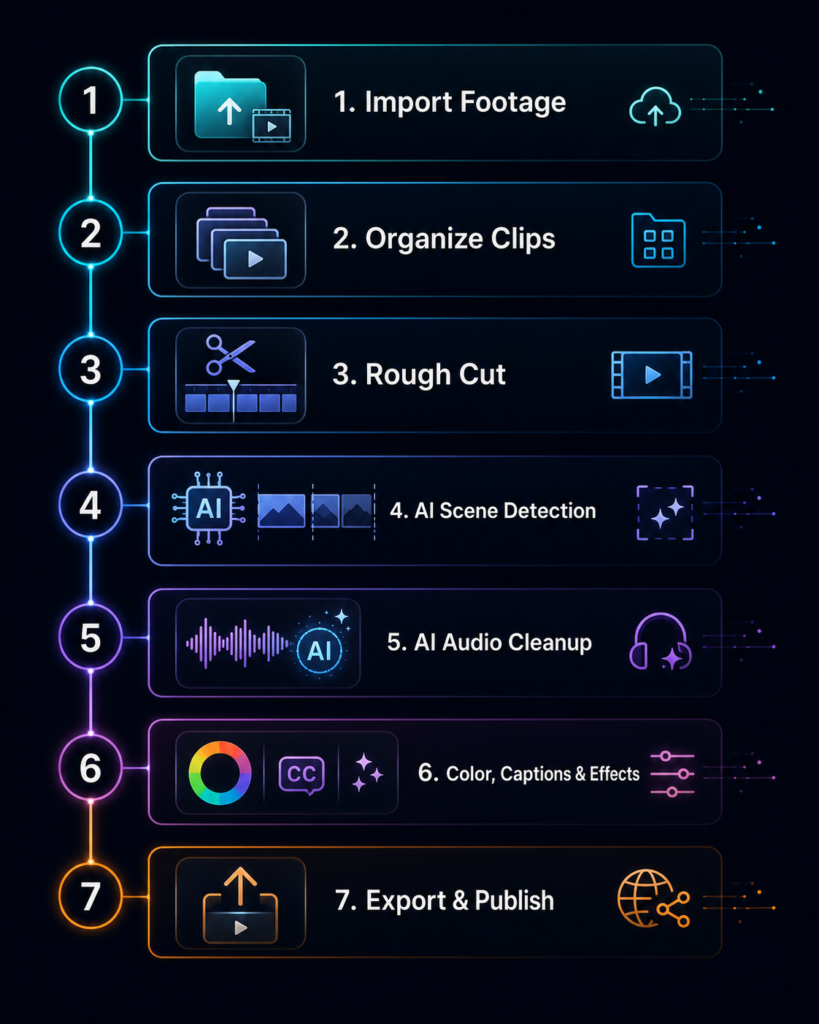
Before we get into the tools, let me walk you through exactly how a project flows through our system. This is the same workflow we use for client work at Hexalevel from raw footage to final delivery.
Step 1: Ingest and Auto-Transcribe the Raw Footage
The moment we receive raw footage, it goes straight into Descript or Adobe Premiere Pro with AI Speech-to-Text. Within minutes, every word is transcribed automatically with timestamps.
Why does this matter? Because instead of scrubbing through timelines, our editors can now edit by reading text deleting a sentence in the transcript instantly cuts that section from the video.
This single step alone saves 1 to 2 hours on a standard interview-style video.
Step 2: Remove Silences and Filler Words Automatically
Next, we run the footage through Descript’s Overdub + Remove Filler Words feature or Opus Clip’s silence remover. The AI identifies every pause, every “um,” every “like” and removes them in bulk.
What used to take 45 minutes of manual scrubbing now takes 90 seconds.
Step 3: AI-Powered Rough Cut
For long-form content — think podcast videos, webinars, or documentary-style brand films — we use Autopod.fm or Descript’s Storyboard to automatically assemble a rough cut based on the best moments. The AI evaluates energy, pacing, and clarity to prioritize which clips make the first cut.
This is the step that used to take half a day. Now it takes under 30 minutes.
Step 4: Color Grading with AI Matching
We drop all clips into DaVinci Resolve and use the built-in Color Match AI feature to auto-match every clip to a reference grade. No more spending 2 hours manually balancing clips shot in different lighting conditions.
For lighter projects, Runway ML’s color tools and Captions.ai both offer solid free-tier color assistance.
Step 5: Auto-Captioning and Subtitles
Every video we deliver for social media gets captions. We use Captions.ai or Adobe’s Auto-Captions inside Premiere Pro. Accuracy sits around 95%+ for clean audio. A quick 10-minute review catches the remaining errors.
Previously, captioning a 5-minute video took an hour. Now it takes 12 minutes total.
Step 6: AI Music and Sound Design
We use Musicfy and Soundraw to generate royalty-free, mood-matched background music on the fly. Feed the AI a prompt like “upbeat corporate motivational, 90 BPM, 2 minutes 30 seconds” and it generates a custom track instantly.
No licensing headaches. No browsing through 3,000 tracks on Epidemic Sound hoping to find the right vibe.
Step 7: Export, Format, and Deliver
Our final step uses Handbrake (free) with pre-saved presets for each platform — YouTube 4K, Instagram Reels 1080p, Meta Ad specs, TikTok vertical — so we export everything simultaneously without touching export settings manually each time.
The Best AI Tools for Video Editors We Actually Use
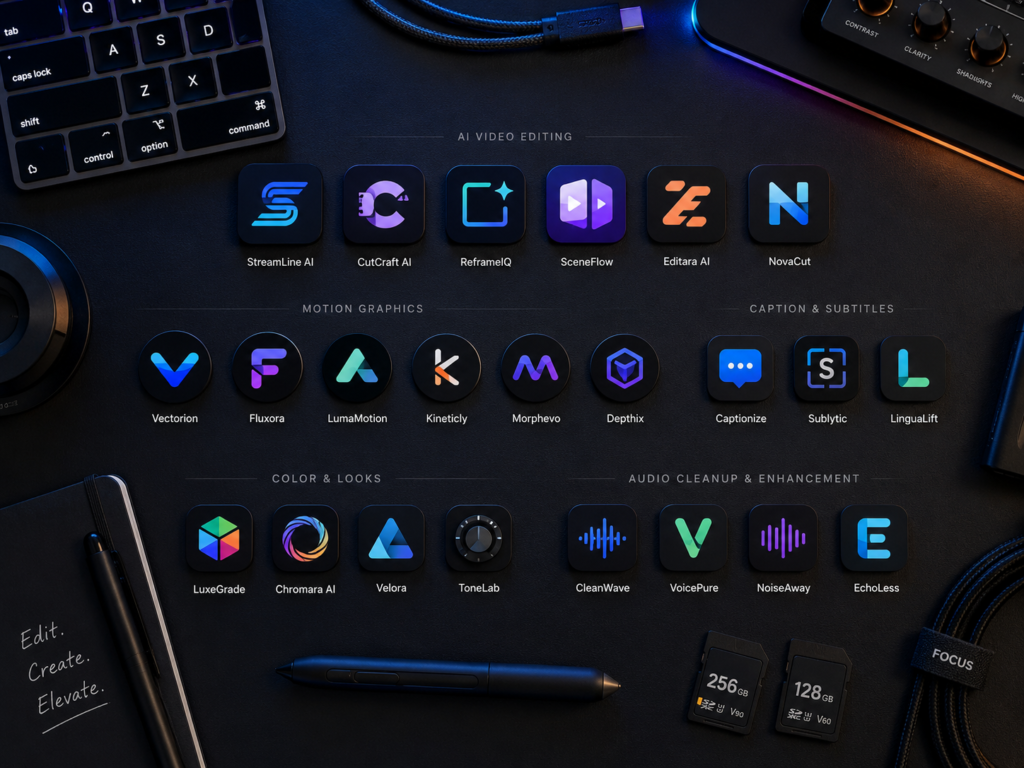
Let me break down the specific tools in our stack, including which ones have ai tools for video editing free plans so you can start without spending a dollar.
Descript: Edit Video Like a Document
Best for: Interview edits, podcasts, talking-head content Free plan: Yes (limited export)
Descript is probably the single most impactful tool we’ve added to our workflow. It transcribes your video, lets you edit by deleting words from a transcript, removes filler words, and even lets you clone your voice to fix audio mistakes without re-recording.
For any editor working with dialogue-heavy content, Descript is non-negotiable.
External link: https://www.descript.com
DaVinci Resolve: AI Color and Audio Magic
Best for: Professional color grading, noise removal, audio cleanup Free plan: Yes (extremely powerful free version)
DaVinci Resolve’s AI features are insane for a free tool. Color Match, facial recognition for smart reframing, noise reduction, dialogue isolation — all built in. The free version handles everything 90% of editors will ever need.
External link: https://www.blackmagicdesign.com/products/davinciresolve
Opus Clip: Repurpose Long Videos Instantly
Best for: Short-form content from long videos, social media repurposing Free plan: Yes (limited clips per month)
Opus Clip watches your long video, identifies the highest-engagement moments, and cuts them into short-form clips ready for TikTok, Instagram Reels, and YouTube Shorts complete with auto-captions and a “virality score.”
We use this for every podcast and webinar we edit. One 60-minute video becomes 8 to 12 short-form clips in about 20 minutes.
External link: https://www.opus.pro
Adobe Podcast (Enhance Speech): Pro Audio for Free
Best for: Cleaning up bad audio from client recordings Free plan: Yes
This is one of our most-used ai tools for video editing free options. Upload a messy audio file recorded in a noisy room and Adobe Podcast’s Enhance Speech makes it sound like it was recorded in a professional studio. Completely free. Works every time.
External link: https://podcast.adobe.com/enhance
Soundraw: AI-Generated Royalty-Free Music
Best for: Background music, custom tracks by mood and length Free plan: Limited previews; subscription for downloads
Stop wasting time browsing stock music libraries. Soundraw generates original, mood-matched background music to your exact specifications in seconds.
External link: https://soundraw.io
Runway ML: AI Video Generation and Editing
Best for: B-roll generation, text-to-video, visual effects Free plan: Yes (limited generations)
When a client sends footage that’s missing a key shot, Runway ML can generate photorealistic B-roll from a text prompt. It’s also excellent for motion tracking, background removal, and rotoscoping — tasks that used to require hours of manual masking.
External link: https://runwayml.com
Let’s Build Something Powerful Together
How to Edit Videos Faster Without Sacrificing Quality
Here’s what most guides won’t tell you: how to edit videos faster isn’t just about which tools you use. It’s about building a system that removes all friction from the process.
Here are the non-tool habits that 10x’d our speed:
Create Template Projects for Every Video Type
We have separate Premiere Pro and DaVinci Resolve project templates for:
- Short-form social ads (vertical, 15s / 30s / 60s)
- Podcast video (wide, 16:9 with branded lower thirds)
- Testimonial videos
- Documentary-style brand films
Each template has pre-built color grades, branded text layers, correct export presets, and sequence settings already configured. We open a template, drop in footage, and go.
This alone saves 20 to 30 minutes per project.
Build a Reusable Asset Library
We maintain a Notion database and cloud folder with every client’s:
- Brand colors and fonts
- Intro/outro animations
- Logo files
- Approved music tracks
- Previously approved lower-third styles
No hunting. No asking clients to resend assets for the fourth time. Everything is one click away.
Batch Similar Tasks Across Projects
Instead of editing Project A from start to finish, then starting Project B, we batch by task type. We do all transcriptions across three projects at once, then all rough cuts, then all color grades. This keeps us in “flow state” for each task type and dramatically reduces context-switching time.
Communicate Clearly Before You Start
The single biggest time killer in client video editing isn’t the edit — it’s revision rounds caused by unclear briefs. We use a standardized creative brief template at the start of every project, and we always confirm:
- Reference videos the client loves
- The one key message of the video
- Approved music direction
- Platform and format specifications
Clear briefs = fewer revisions = faster delivery = happier clients.
How We Use AI for Client Video Ads Specifically
Our AI Video Ads Service takes this even further. For Meta and TikTok ad content, the speed requirements are extreme clients often need 10 to 20 ad variations tested simultaneously.
Here’s how AI helps us deliver at that scale:
- Dynamic text variations are generated using AI copywriting tools, then dropped into pre-built video templates
- Auto-reframing (Adobe Premiere’s AI feature) converts 16:9 footage to 9:16 vertical automatically
- A/B variant creation — Runway ML and CapCut’s batch editing features let us produce 15 ad variations from a single hero video in about 45 minutes
- Caption style testing — different caption fonts, colors, and animation styles are applied in bulk using template presets
What used to be a 3-day project for one client’s ad campaign now ships in 6 to 8 hours.
Common Mistakes Editors Make When Adopting AI Tools
Let’s talk about what NOT to do, because we made most of these mistakes ourselves.
Mistake 1: Trying to Use Every Tool at Once
We’ve seen editors get overwhelmed trying to implement 12 AI tools simultaneously. Start with ONE tool that solves your biggest bottleneck. For most editors, that’s Descript (for dialogue editing) or DaVinci Resolve (for color grading). Master it. Then add the next tool.
Mistake 2: Not Reviewing AI Output Before Delivery
AI is impressive but not perfect. Auto-transcriptions make errors. Auto-cuts sometimes remove important pauses. Color Match sometimes overshoots. Always budget 15 to 20 minutes per project for a human review pass. Your reputation depends on it.
Mistake 3: Ignoring Free Tier Limitations
Many editors discover mid-project that their free plan has a watermark or export limitation. Know your tools’ free tier limits before you rely on them for a client deliverable. We’ve mapped all the tools above with their free plan details for exactly this reason.
Mistake 4: Skipping the Template Setup
The biggest upfront time investment in any AI workflow is building good templates. Editors often skip this because it “takes too long.” But a template built once saves 30 minutes on every project after it. If you edit more than 5 videos per month, templates are not optional — they are essential.
Frequently Asked Questions
What are the best AI tools for video editing free
How much time can AI realistically save in a video editing workflow?
Is video editing with AI difficult to learn?
Not at all for most tools. Descript, Opus Clip, and Captions.ai are beginner-friendly with minimal learning curves. DaVinci Resolve has a steeper curve but has thousands of free tutorials available. Most editors can become proficient with one or two tools within a week of daily use.
Can AI tools replace human video editors?
No and this is important to understand. AI tools excel at mechanical, repetitive tasks: transcription, silence removal, color matching, captioning. But creative decisions pacing, storytelling, emotional resonance, brand alignment still require a skilled human editor. AI makes editors faster and more efficient; it doesn’t replace them.
Are AI-generated captions accurate enough for professional use?
What's the best AI tool specifically for short-form social media video?
Opus Clip is our top recommendation for short-form repurposing from long content. For creating native short-form ads from scratch, CapCut’s AI features combined with Captions.ai and Soundraw form a powerful free-to-low-cost stack. See our short-form video services for how we apply this professionally.
Conclusion
The editing landscape has shifted permanently. Editors who adapt to video editing with AI will produce more work, earn more per hour, and deliver better results than those who keep doing things the old way.
The tools are available. Many of the best ai tools for video editing free tiers are powerful enough to transform your workflow without spending a single dollar. The system is proven we use it daily for real client projects.
The only question left is: when do you start?
Here’s our recommendation: pick one tool from this article today. Not tomorrow. Today. Install it, run your current project through it, and measure the time saved. That first win will make the next step obvious.
If you want to skip the trial-and-error phase and have a team handle it all for you from fast editing to AI-powered ad creation we’re here.